Skip to content
Stan Consulting

Contractor tools | Updated July 28, 2026

Best tools for contractors

A contractor does not need a large software stack. Start with the part of the job that is being lost: the website, lead handoff, reviews, phone attribution, or local search visibility.

Start here

Start here

Start with the point where money is leaking.

Tools should support the work, not create another office job. Pick the smallest system that stops a missed lead, slow quote, weak review profile, unknown phone source, or invisible service-area page.

Step 1

Write down the loss

Examples: calls are missed, estimates take three days, no one asks for reviews, ad calls are mixed with normal calls, or the site looks old and does not explain the work.

Step 2

Choose one owner

One person must own new leads, quotes, review requests, or weekly visibility checks. Software without an owner becomes another bill.

Step 3

Test with a real job

Send a real test request, create a quote, schedule it, complete it, request the review, and trace the call. Fix the broken step before adding another tool.

Five useful tools

One tool for each common contractor job.

Wix can replace an old basic website. Jobber runs the lead-to-payment path. NiceJob asks for reviews. CallRail identifies phone sources. Whitespark checks visibility across real service areas.

Website and lead form

Wix

Wix is a hosted website builder for service pages, project photos, forms, basic scheduling, and online payments.

Price
Current annual-plan equivalents shown are Light at $17, Core at $29, Business at $39, and Business Elite at $159 per month. The year is paid in full.
Good for
Replacing a very old contractor site with a clear mobile site and working request form.
Where to look
Use the site editor for pages. Check Forms & Submissions for leads and Booking Settings when scheduling is enabled.
Limits
It is not a contractor CRM. Apps, extra work, domain renewals, and ongoing page changes add cost. The displayed monthly figure may require annual payment.
Alternatives
Squarespace, WordPress.com, or NiceJob Sites.

How to use it

  1. Create one page for each real service and one service-area page only where work is actually performed.
  2. Add real project photos, license information, service area, phone number, and a clear request button.
  3. Add a form with name, phone, location, work needed, and preferred timing.
  4. Open Forms & Submissions and set who receives the alert.
  5. Publish, submit one mobile test lead, and confirm the office received it.

Official product and pricing page

Wix official pricing page showing current website plans
Official product page, captured July 28, 2026. Check the linked source before buying because prices can change.

CRM, quotes, and jobs

Jobber

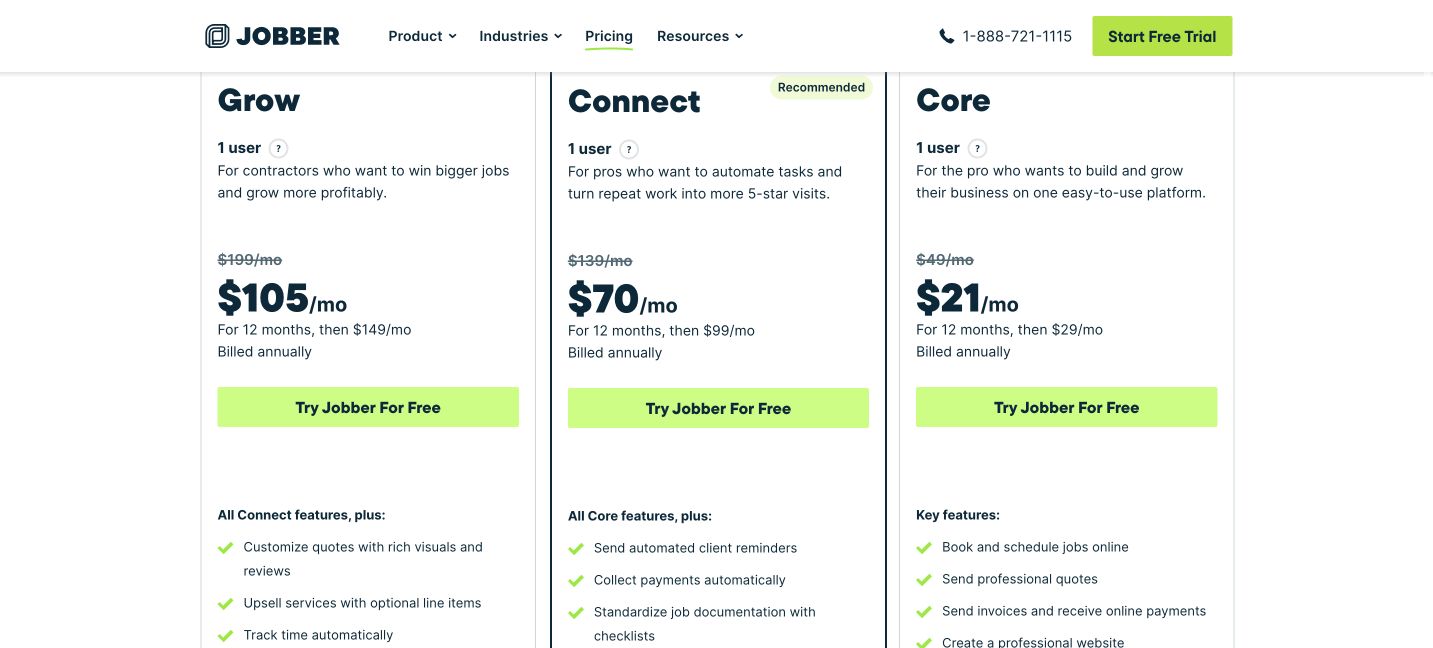
Jobber moves a request through client records, quotes, scheduled jobs, invoices, payments, and follow-up.

Price
Normal month-to-month prices shown are Core $49, Connect $139, and Grow $199. Current annual promotions show lower first-year prices; check the renewal amount before buying.
Good for
A small service business that needs one place for requests, quotes, scheduling, invoices, and payments.
Where to look
Use Requests for new leads, Quotes for estimates, Schedule for work, and Invoices for payment status.
Limits
Important automation features require larger plans. Payment processing and optional products cost extra. Annual prepaid plans can be non-refundable.
Alternatives
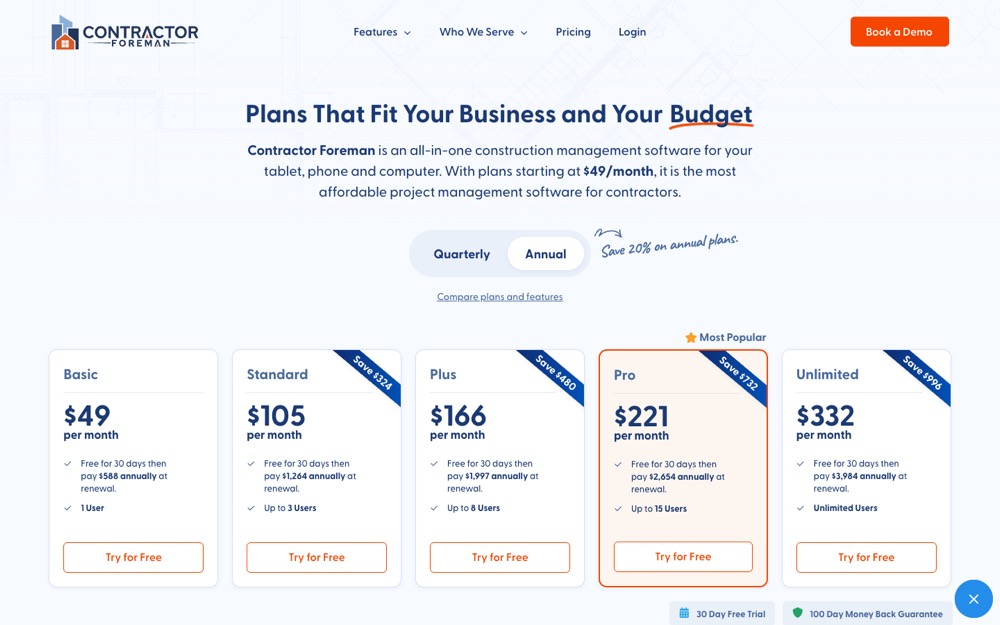
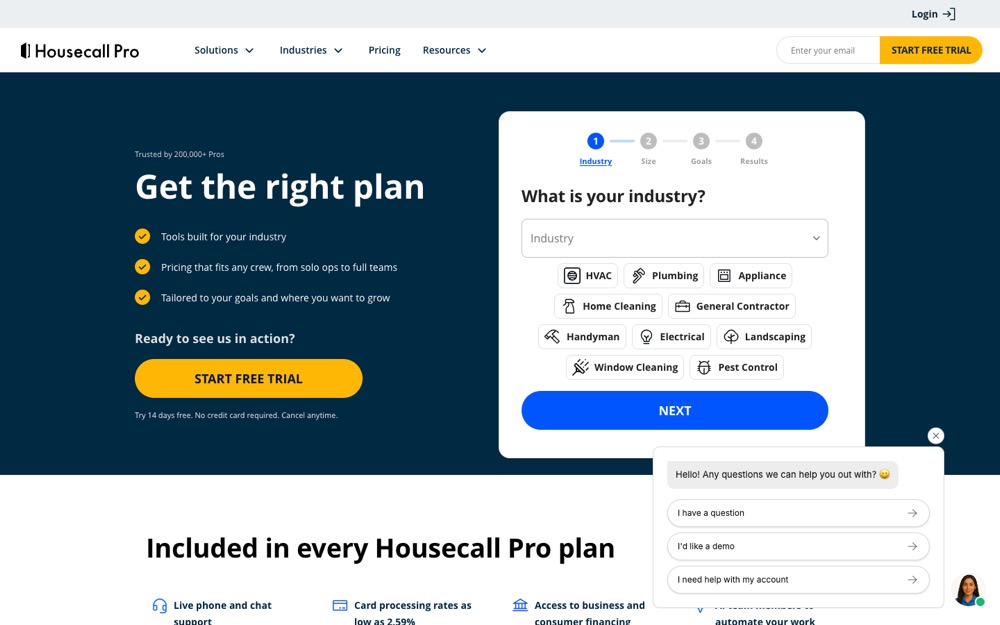
Housecall Pro, Contractor Foreman, or ServiceTitan for larger operations.

How to use it

  1. Add services, team members, working hours, and client communication settings.
  2. Create the online request form and place it on the website.
  3. Build one quote template for the most common job.
  4. Turn an approved quote into a scheduled test job.
  5. Complete the job, create the invoice, and confirm the client received every message.

Official product and pricing page

Jobber official pricing page showing current plans
Official product page, captured July 28, 2026. Check the linked source before buying because prices can change.

Reviews

NiceJob

NiceJob automatically asks completed customers for reviews and helps display recent reviews on the website.

Price
Reviews costs $75 per month. Pro costs $125 per month. NiceJob Sites is separate at $99 per month plus a $199 setup fee.
Good for
A contractor with steady completed jobs but too few recent public reviews.
Where to look
Use Campaigns for request timing and Stories or review views to check what customers submitted.
Limits
It overlaps with review features in some CRMs. It cannot turn a poor job into a good review, and request rules still need monitoring.
Alternatives
Birdeye, Podium, GatherUp, or the contractor CRM's built-in review requests.

How to use it

  1. Connect the customer source or add a completed-job workflow.
  2. Connect the correct Google Business Profile and other review sites.
  3. Write a short request that sounds like the company.
  4. Set the request to go out after the job is actually complete.
  5. Run one internal test and check that customers land on the correct profile.

Official product and pricing page

NiceJob official pricing page showing Reviews and Pro plans
Official product page, captured July 28, 2026. Check the linked source before buying because prices can change.

Phone lead tracking

CallRail

CallRail uses tracking numbers to show which ad, campaign, search, or landing page produced a phone call.

Price
Annual pricing shown starts at $50 per month plus usage. Month-to-month starts at $55. Extra numbers, minutes, messages, and other usage are billed separately.
Good for
A contractor actively paying for ads or SEO who needs to connect phone calls to the source.
Where to look
Use Activity or the call log for calls and Reports for source, campaign, answer status, and qualified-lead checks.
Limits
Usage charges can grow. Recording and transcription require proper notice and legal review. CallRail tracks the call but does not manage the job.
Alternatives
WhatConverts, CallTrackingMetrics, or Twilio for a technical build.

How to use it

  1. Create one tracking number for the source or campaign that needs measurement.
  2. Forward it to the real business phone and set business hours.
  3. Add the number to the correct ad or use website number swapping as directed.
  4. Test from a phone and confirm source, answer status, and recording rules.
  5. Review qualified and missed calls every week, not total calls alone.

Official product and pricing page

CallRail official pricing page showing annual plans and usage notice
Official product page, captured July 28, 2026. Check the linked source before buying because prices can change.

Local visibility

Whitespark Local Rank Tracker

Whitespark checks Google local and organic rankings from specific cities or map locations instead of using one generic national rank.

Price
Weekly tracking starts at $14 per month when billed annually or $17 monthly for 100 location keywords.
Good for
A local contractor improving visibility across several real service areas.
Where to look
Open the campaign ranking view and compare the same keyword and location over time. Check local pack and organic results separately.
Limits
It measures visibility but does not improve it. One keyword checked in three cities uses three location keywords.
Alternatives
BrightLocal, Local Falcon, or Semrush Local.

How to use it

  1. Create one campaign for the real business and connect the correct location.
  2. Add only services customers buy, such as roof repair or kitchen remodeling.
  3. Add the cities or map points where the company truly works.
  4. Use weekly tracking and keep the same locations for a fair comparison.
  5. Check whether visibility changes lead to calls, forms, or booked estimates.

Official product and pricing page

Whitespark Local Rank Tracker official pricing page
Official product page, captured July 28, 2026. Check the linked source before buying because prices can change.

Quick cost check

What you can start with.

The real starting stack may be one tool, not five. Jobber can cover intake, quotes, scheduling, invoices, and payments. Add another tool only when a measured gap remains.

ToolStart costUse it whenDo not buy it when
WixCore $29/mo equivalent, paid annuallyThe current website is old, hard to use, or cannot collect a clear request.The website is fine but leads are lost after submission.
Jobber$49/mo monthly; annual offers may be lowerLeads, quotes, schedules, and invoices are spread across texts and paper.The business will not use one shared process.
NiceJobReviews $75/mo; Pro $125/moCompleted customers are happy but rarely asked for reviews.The CRM already sends effective review requests.
CallRail$50/mo annual or $55 monthly, plus usageMoney is being spent and phone leads cannot be tied to a source.There is no paid or organic campaign to compare.
Whitespark Local Rank Tracker$14/mo annual or $17 monthlyLocal search work is active across defined service areas.The business only wants a vanity rank number.
Do not buy review, tracking, and rank tools while new requests still sit unanswered or quotes still take days to send.

Keep it current

Where to look when a tool or rule changes.

Prices, screens, ad rules, and AI search behavior change. We keep short dated updates in Pulse and real observations in Notes. Use this guide for the setup. Use those pages for what changed.

Check the price at checkout. Several annual prices are shown as monthly equivalents but require the year to be paid in full.

Next guide

Keep going only if you need it.

See all services